
Designing Role Based Access Control for Modern Web Applications
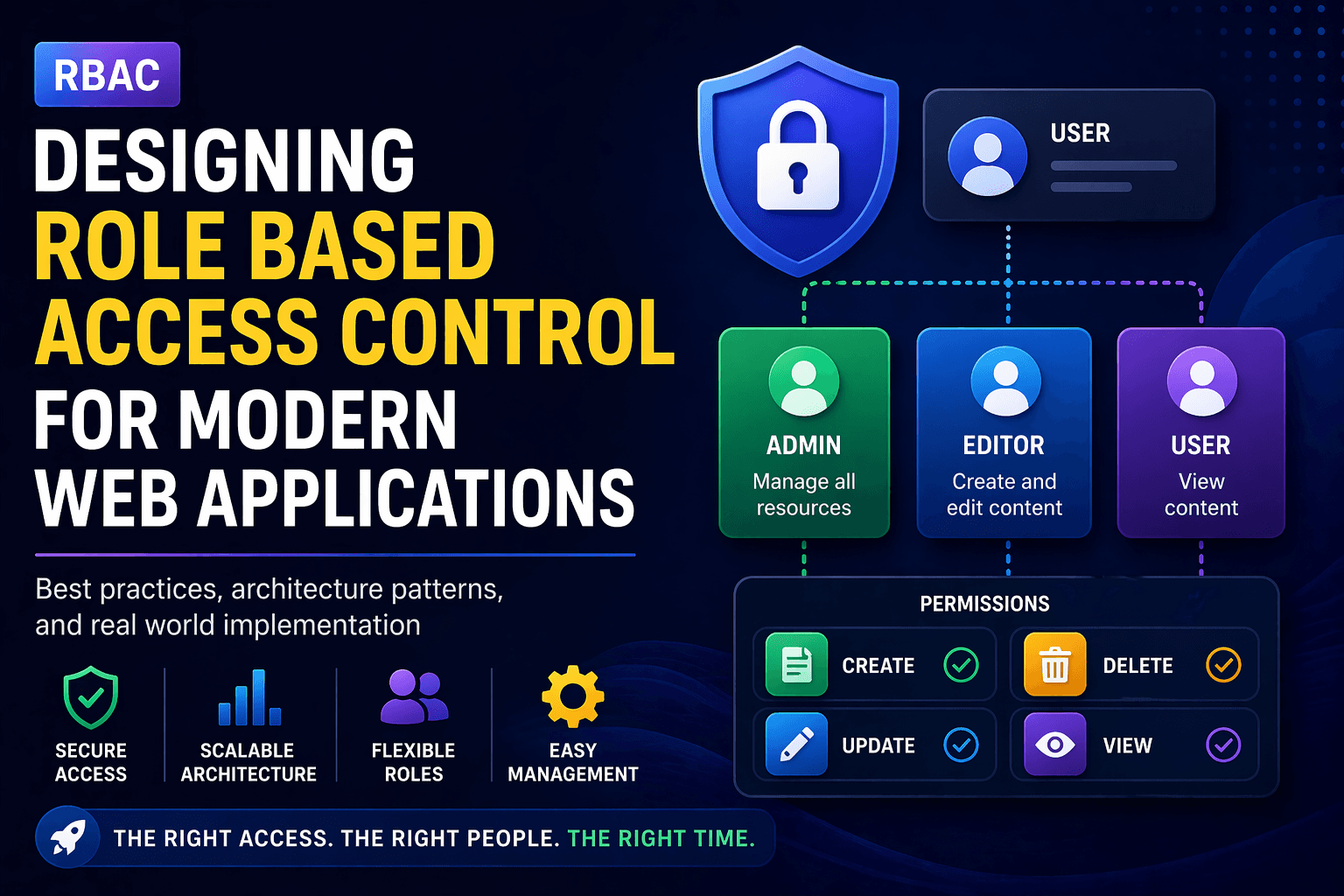
As modern web applications grow in complexity, managing who can access what becomes a critical challenge. This is where Role Based Access Control (RBAC) plays a key role. It provides a structured way to manage permissions based on user roles instead of assigning permissions individually.
In this guide, we will explore how to design a scalable role based access control system, its architecture, best practices, and real-world implementation strategies.
What is Role Based Access Control
Role Based Access Control (RBAC) is a security model where permissions are assigned to roles, and users are assigned to those roles. Instead of managing permissions per user, you manage them at the role level.
For example:
- Admin can manage users and system settings
- Editor can create and update content
- User can only view content
This makes the system easier to manage, scalable, and more secure.
Why RBAC is Important in Modern Applications
Scalability
As your application grows, managing permissions individually becomes impossible. RBAC simplifies this by grouping permissions into roles.
Security
RBAC ensures users only have access to what they need, reducing the risk of unauthorized access.
Maintainability
Updating permissions becomes easier since you only need to update roles instead of individual users.
Better User Management
It provides a clean structure for managing different types of users in your system.
Core Concepts of RBAC
Users
Individuals who interact with the system.
Roles
Groups of permissions assigned to users (e.g., Admin, Manager, User).
Permissions
Actions that can be performed (e.g., read, write, delete).
Resources
Entities being accessed (e.g., dashboard, posts, users).
RBAC Architecture Design
A well-designed RBAC system separates concerns between authentication and authorization.
Authentication Layer
Handles user login and identity verification (JWT, sessions, OAuth).
Authorization Layer
Determines what actions a user can perform based on roles and permissions.
Database Structure Example
Users
- id
- name
- email

Roles
- id
- name

Permissions
- id
- action
- resource

UserRoles
- userId
- roleId

RolePermissions
- roleId
- permissionId
This structure allows flexible mapping between users, roles, and permissions.
RBAC in Multi Tenant Applications
In a multi tenant SaaS application, RBAC becomes more complex because roles are often tenant-specific.
- Each tenant can have its own roles
- Permissions may vary per tenant
- Users can belong to multiple tenants
This requires scoping roles and permissions by tenant ID.
Frontend Implementation Strategy
On the frontend, RBAC should be used to control UI access and improve user experience.
Role Based Rendering
{user.role === "admin" && Permission Based Rendering
{permissions.includes("edit_post") && However, frontend checks are not enough. Always enforce authorization on the backend.
Backend Authorization Example
function authorize(user, action, resource) {
  return user.permissions.some(
    (perm) => perm.action === action && perm.resource === resource
  );
}
This ensures that even if frontend restrictions are bypassed, the backend remains secure.
Common Challenges in RBAC
Role Explosion
Too many roles can make the system hard to manage. Avoid creating unnecessary roles.
Complex Permission Logic
As the system grows, permission rules can become complex and difficult to maintain.
Dynamic Permissions
Some applications require dynamic access control, which RBAC alone may not handle well.
Performance Issues
Checking permissions frequently can impact performance. Use caching strategies.
Best Practices for RBAC
- Keep roles simple and meaningful
- Use permission-based checks instead of role-only checks
- Always validate permissions on the backend
- Cache permissions for better performance
- Log access control decisions for auditing
- Design roles per tenant in SaaS applications
When to Use RBAC vs ABAC
RBAC works well for most applications, but in complex scenarios, you may need Attribute Based Access Control (ABAC).
- RBAC → Simple and structured systems
- ABAC → Dynamic and rule-based systems
In many cases, a hybrid approach works best.
Real World Example
In a SaaS dashboard:
- Admins can manage users and billing
- Managers can manage content
- Users can only view data
This structure ensures clear separation of responsibilities and secure access control.
Conclusion
Designing a role based access control system is essential for building secure and scalable web applications. It simplifies permission management, improves security, and ensures your application can grow without becoming unmanageable.
When combined with proper backend validation and thoughtful architecture, RBAC becomes a powerful foundation for modern SaaS applications.